How to import from excel sheet to SharePoint List
Have you been struggling to import the excel sheet but couldn't? Here's the best solution.
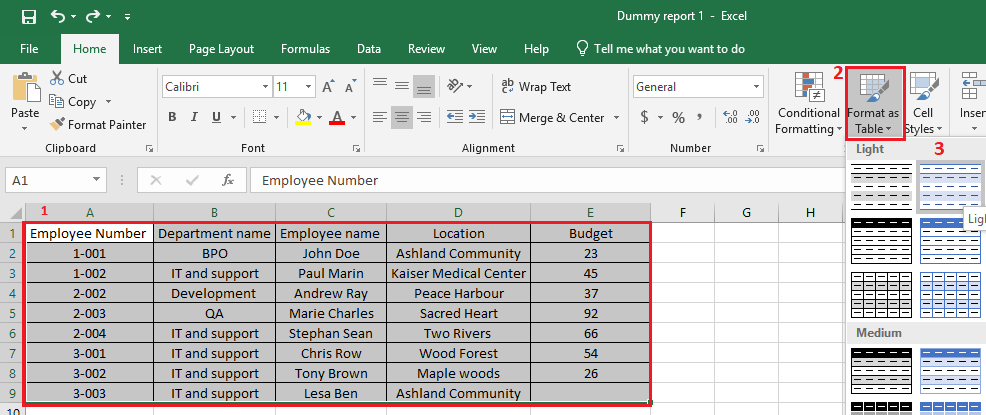
Importing excel data to SharePoint List. Steps: Open the Excel sheet and remove all filters and format it as a table Click table designs, here you'll see export ribbon, if you do not see the export ribbon, click file and save as new file. Open and format it as a table. Click table designs and select export to sharepoint list Enter the site url, and give the list name click next and finish. It might take some time based on the datas contain in the excel sheet. Once it is completed, a pop up will appear. Click the link or goto the site content and search for the listname you just created. The...
Canonical URL: https://khangkhuiphungdhar.vercel.app/read/how-to-import-from-excel-sheet-to-sharepoint-list